Media and files
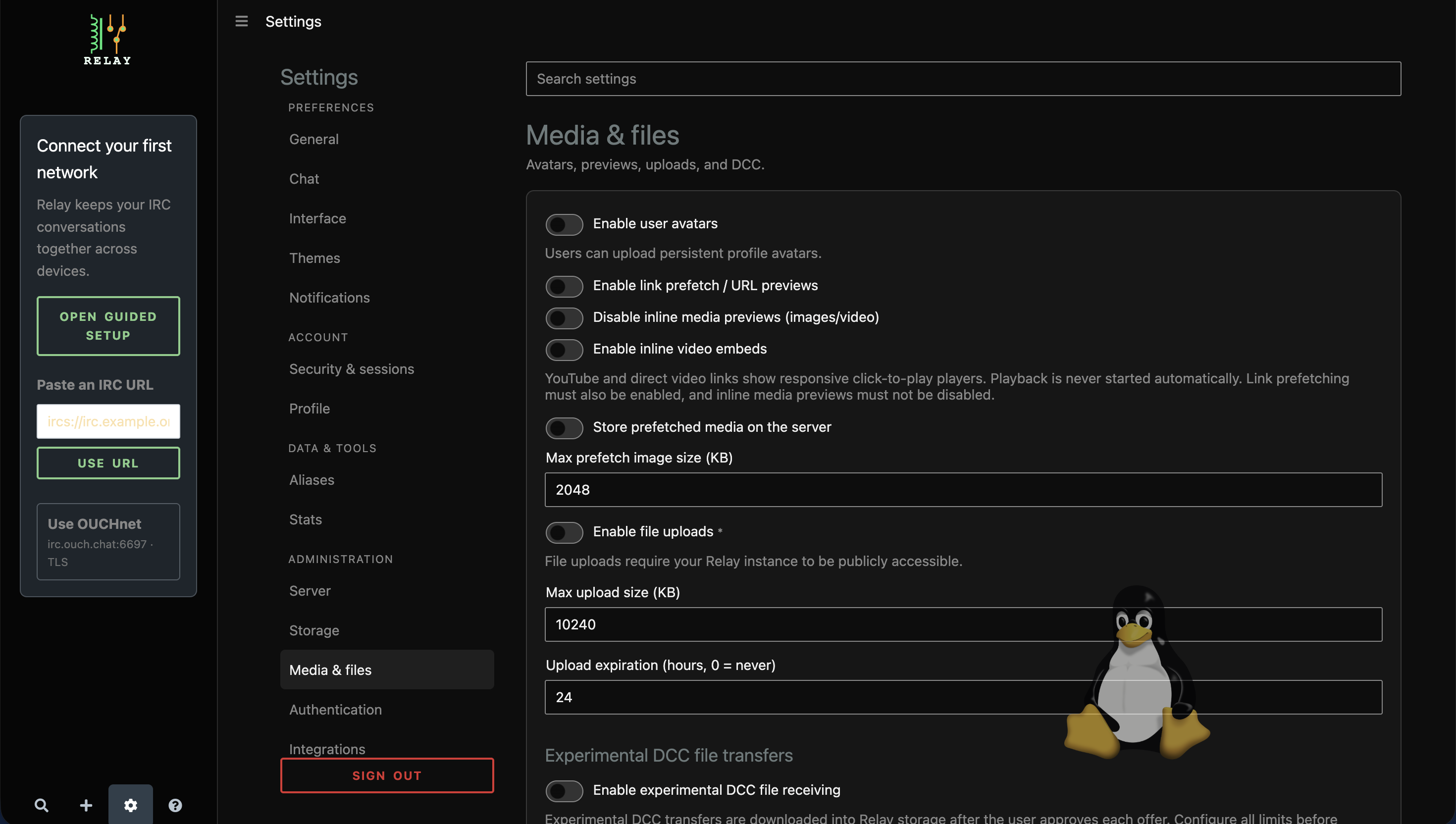
Under Administration > Media & files, administrators can:
- enable persistent avatars and set their maximum size;
- enable link prefetch, URL previews, inline media, and click-to-play video;
- choose whether Relay stores prefetched media;
- set prefetch and upload size limits;
- define server-wide upload expiration; and
- configure experimental DCC receiving, concurrency, retention, free-space, listen, advertised, and download-URL values.
Inline video requires link prefetch and inline media previews. Some changes require a server restart. Public mode intentionally limits upload behavior; see Public mode.
Current master adds configuration-file preview-cache budgets under prefetchCache:
maxBytes (536870912), maxFiles (10000), and minFreeBytes (268435456).
All must be positive; restart after changing them. Cached previews are evicted
least-recently-used first when space is needed. The free-space floor does not
reserve disk space against other applications. If a preview cannot be cached,
the original chat link remains usable. The cache is temporary, not a file archive.
Size fields labelled KB use KiB (1024 bytes); expiration is in hours. DCC free-space limits use MiB. DCC needs positive size, concurrency, retention and free-space budgets before enabling it. See the configuration reference for defaults and restart guidance.